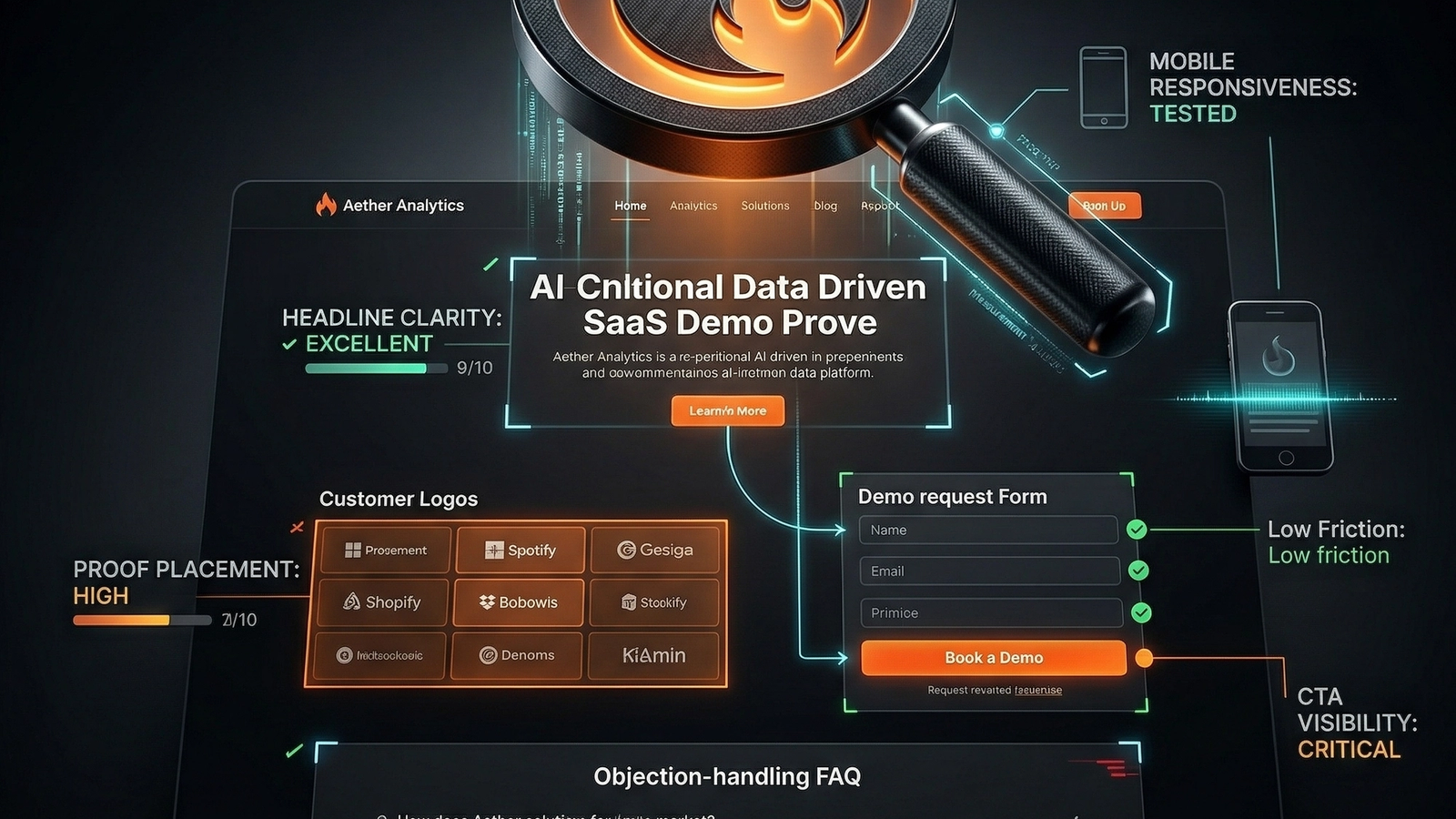
A SaaS demo page audit diagnoses conversion leaks by focusing on tactical checkpoints, not design critiques. The goal is to turn qualified traffic into booked calls by ensuring the page answers key visitor questions: Am I in the right place? Is this relevant? Can I trust this? What happens next? Is it worth it? The checklist covers traffic-source message match, above-the-fold clarity, proof density near decision points, CTA commitment level, form friction, and mobile usability. A weak page fails on ambiguity, burying proof, or over-asking for commitment before earning trust. Scoring each area reveals the highest-impact fixes.
SaaS demo pages don't fail because the button color is wrong.
They fail when a visitor arrives with intent and the page responds with ambiguity.
The headline is generic. The proof is buried. The form is heavier than the value promise. The CTA demands commitment before the page has earned trust. By the time the user decides to "think about it later," the conversion is lost.
A proper landing page audit for a SaaS demo page isn't a design critique. It's a conversion diagnosis.
This checklist is a tactical tool. It operates within the broader website audit categories framework but focuses exclusively on the single page that must turn qualified traffic into booked conversations.
What a SaaS demo page actually has to do
A demo page has one core mission: move the right visitor from interest to a clear next step without friction.
To do that, the page must answer these questions in order:
- Am I in the right place?
- Is this relevant to my problem?
- Why should I trust this solution?
- What happens if I ask for the demo?
- Is that next step worth the effort?
If the page stalls on any one of those questions, conversion craters.
The SaaS demo page audit checklist
Run this as a real audit, not a branding exercise.
1. Traffic-source match
A demo page must feel like the logical continuation of the click that brought the visitor there.
Check:
- Does the headline directly reflect the ad, email, or search intent that sent the visitor?
- Is the problem statement specific enough for the target buyer persona?
- Does the page speak to one clear use case, segment, or role?
- Are you mixing self-serve and sales-led motions on the same page without a clear path for each?
If a visitor clicks an ad for a "homepage audit tool" and lands on generic "growth platform" copy, you’ve already broken trust.
2. Above-the-fold clarity
The first screen must do more than sound confident. It must orient the user instantly.
Check:
- Is the product category obvious within three seconds?
- Does the subhead explain what tangible outcome the demo helps the visitor reach?
- Is the primary CTA visible without scrolling or hunting?
- Is there immediate proof positioned near the CTA?
Above the fold, clarity crushes cleverness.
A winning first screen delivers:
- A specific, outcome-driven headline.
- A subhead that translates product features into business impact.
- One primary, unmistakable CTA.
- One solid proof element.
This proof can be a customer logo strip, a key performance metric, a concise testimonial, or a product screenshot that makes the value real.
3. Proof density near decision points
Most demo pages have proof. Many place it too late to matter.
Visitors shouldn't have to scroll past six generic feature blocks to find evidence that the product actually works.
Check:
- Are logos, metrics, or testimonials visible early in the scroll?
- Do proof elements directly address the buyer's primary concerns?
- Are claims specific and measurable instead of decorative?
- Is there evidence tied to outcomes, not just popularity?
Weak proof is lazy marketing:
- "Trusted by modern teams"
- "Loved by high-growth companies"
- "Built for performance"
Strong proof is specific and credible:
- "Reduced page abandonment on demo traffic by 22%"
- "Increased qualified booking rate from 3% to 5.5%"
- "Identified critical conversion leaks before our redesign"
Specific proof carries more weight because it lowers the visitor’s cost of interpretation.
4. Product understanding
A demo page should help the visitor picture what the product does before asking for their time.
Check:
- Is there a concise explanation of how the product works?
- Are screenshots, GIFs, or short videos tied to specific outcomes?
- Does the page clarify what the visitor will see or learn in the demo itself?
- Can the visitor grasp the core product value without a sales rep translating every claim?
One of the most common conversion leaks is selling benefits while leaving the mechanism a mystery. This ambiguity creates a trust gap that a CTA button can't fix.
5. CTA design and commitment level
Not every visitor is ready for the same next step. The "ask" has to match the context.
Check:
- Is the main CTA appropriate for the traffic source (e.g., cold ad traffic vs. warm email traffic)?
- Does the page over-ask by demanding a 30-minute meeting too early?
- Is the CTA copy specific about what happens next?
- Are secondary CTAs supporting the primary goal or just distracting from it?
For many B2B SaaS pages, the difference between "Book a Demo" and "See How the Audit Works" isn't semantics. It’s the difference in perceived risk. If the page hasn't justified a calendar commitment, consider a lower-friction CTA.
6. Form friction
The form is where high intent often dies a silent death.
Check:
- Are you asking for too many fields?
- Does every required field have a clear, defensible reason to exist for this step?
- Is the form easy and fast to complete on a mobile device?
- Are validation and error states obvious and helpful?
- Does the page explain what happens immediately after submission?
As a rule, demo form friction should match qualification need, not internal habit. If your team says, "Sales needs to know company size, tool stack, and budget before the first call," that doesn't mean the first form must capture it all.
You might be optimizing for internal convenience at the expense of capturing demand.
7. Objection handling
A good demo page surfaces and answers the buyer's next doubt before it becomes a reason to leave.
Check:
- Does the page explain who the product is—and is not—for?
- Are concerns about timing, setup effort, or implementation addressed?
- Is pricing handled with enough transparency for your sales model?
- Are there FAQ sections that answer real objections, not just marketing fluff?
Common objections include:
- "This looks interesting, but do I really need a call to see the value?"
- "Will this integrate with our existing workflow?"
- "How much work is the setup?"
- "Is this built for a company of my size?"
- "What happens right after I submit this form?"
The page doesn't need to answer every question exhaustively, but it must defuse the most obvious deal-breakers.
8. Page structure and scroll logic
The order of information dictates the narrative. A demo page earns the "ask" step by step.
A logical, high-converting structure often follows this flow:
- Problem and Positioning: You get my problem.
- Outcome and Mechanism: Here's the result and how you deliver it.
- Early Proof: Others like me trust you.
- Product Visibility: I can see how it works.
- Objection Handling: You've addressed my main doubts.
- CTA Repeat: Now I'm ready for the next step.
Check:
- Does the page progress logically from establishing relevance to building trust to prompting action?
- Are your strongest arguments buried too low on the page?
- Are there generic filler sections that break the momentum?
- Does every section justify the space it occupies?
Pages often underperform not because one section is terrible, but because the disjointed order makes the user work too hard.
9. Mobile conversion usability
Your demo page is judged on a phone in a distracting environment, not on your designer's 4K monitor. The standard is higher than you think.
Check:
- Is the headline and value prop readable on a phone without pinching or zooming?
- Are CTA buttons large and easily tappable?
- Does the form remain simple and usable on smaller screens?
- Do sticky headers or footers block the CTA or key proof points?
- Does social proof (like logo walls) collapse cleanly without breaking the layout?
If you get mobile traffic, an "acceptable" mobile page is a failing grade. It must be frictionless.
10. Speed and perceived quality
Visitors interpret page performance as a direct signal of product quality.
Check:
- Does the page load fast enough to keep user intent alive?
- Are large hero images or videos slowing down the first screen?
- Are third-party scripts or widgets delaying interaction?
- Do layout shifts make the page feel unstable as it loads?
A slow demo page quietly suggests, "We might not be sharp enough to deliver the solution we're selling." This impression damages conversion before your copy ever gets read.
11. Measurement and attribution
If you can't tell where your demo page is leaking conversions, you can't fix it.
Check:
- CTA clicks are tracked as distinct events.
- Form starts and form completions are tracked to measure abandonment.
- Demo-booking completions (on the thank-you page or in-app) are tracked as the final conversion.
- Traffic source segmentation is clean and reliable.
- You have a system to compare variants of the landing page.
This is where audit work becomes operating leverage. Without measurement, teams argue about copy. With measurement, you can see whether the real leak is message match, proof placement, or form friction.
Audit Scoring Framework
Don't just read the checklist. Score it. For each area, rate your page as Weak, Okay, or Strong. The goal isn't a perfect score; it's to force honest prioritization.
| Area | What good looks like |
|---|---|
| Message match | Visitor intent and page promise align immediately |
| Above-the-fold clarity | Product, value, and CTA are obvious |
| Proof | Strong evidence appears early and near CTAs |
| Product understanding | Mechanism is visible, not abstract |
| CTA | Ask level matches the visitor's stage |
| Form | Low-friction, high-signal, mobile-safe |
| Objections | Main doubts are acknowledged and reduced |
| Structure | The page earns commitment in the right order |
| Mobile and speed | The experience feels credible on smaller screens |
| Measurement | Conversion events are trackable end to end |
Any area scoring "Weak" should be translated into a specific change, not a vague note like "make better."
The most common SaaS demo page mistakes
If you want the short list of things that kill conversion fastest, it's these:
- The headline says nothing specific.
- The proof appears too late to build trust.
- The product is described only in abstractions.
- The CTA asks for too much commitment, too soon.
- The form fields optimize for sales ops instead of conversion.
- The mobile experience is an afterthought.
- The analytics can report traffic but not friction points.
Close these leaks before you waste time on micro-optimizations.
What to fix first
If your demo page is underperforming, use this practical order of operations.
- Tighten the headline and subhead for immediate message match.
- Move your strongest proof above the fold or close to the first CTA.
- Clarify what happens in or after the demo.
- Remove every unnecessary form field.
- Improve measurement around CTA clicks and form abandonment.
This sequence produces more learning faster than debating visual polish in isolation.
The better question
Stop asking, "Does this page look premium?"
Ask this instead: "Does this page make the next step feel inevitable for the right buyer?"
That’s the only conversion test that matters.
Ultimately, demo pages aren't judged on aesthetics. They're judged on whether visitor intent survives the click.
Common questions
How many fields should a SaaS demo form have?
Only the fields needed to create a qualified next step. If the form is carrying internal sales convenience more than conversion logic, it is probably too heavy.
Should pricing appear on a demo page?
It depends on the sales model, but the page should at least reduce pricing ambiguity enough that the demo ask does not feel like a blind commitment.
What kind of proof should appear above the fold?
Use the strongest proof that reduces immediate doubt: recognizable customer logos, specific metrics, concise testimonials, or outcome-driven evidence tied to the product's main promise.
What is the first thing to audit if demo conversions are weak?
Start with message match and CTA friction. Many weak demo pages fail before the visitor even reaches the form because the page does not make relevance and value obvious fast enough.
Keep the diagnosis moving
Run your own public presence audit
See how your website, search footprint, AI visibility, social proof, and conversion trust look from the outside.