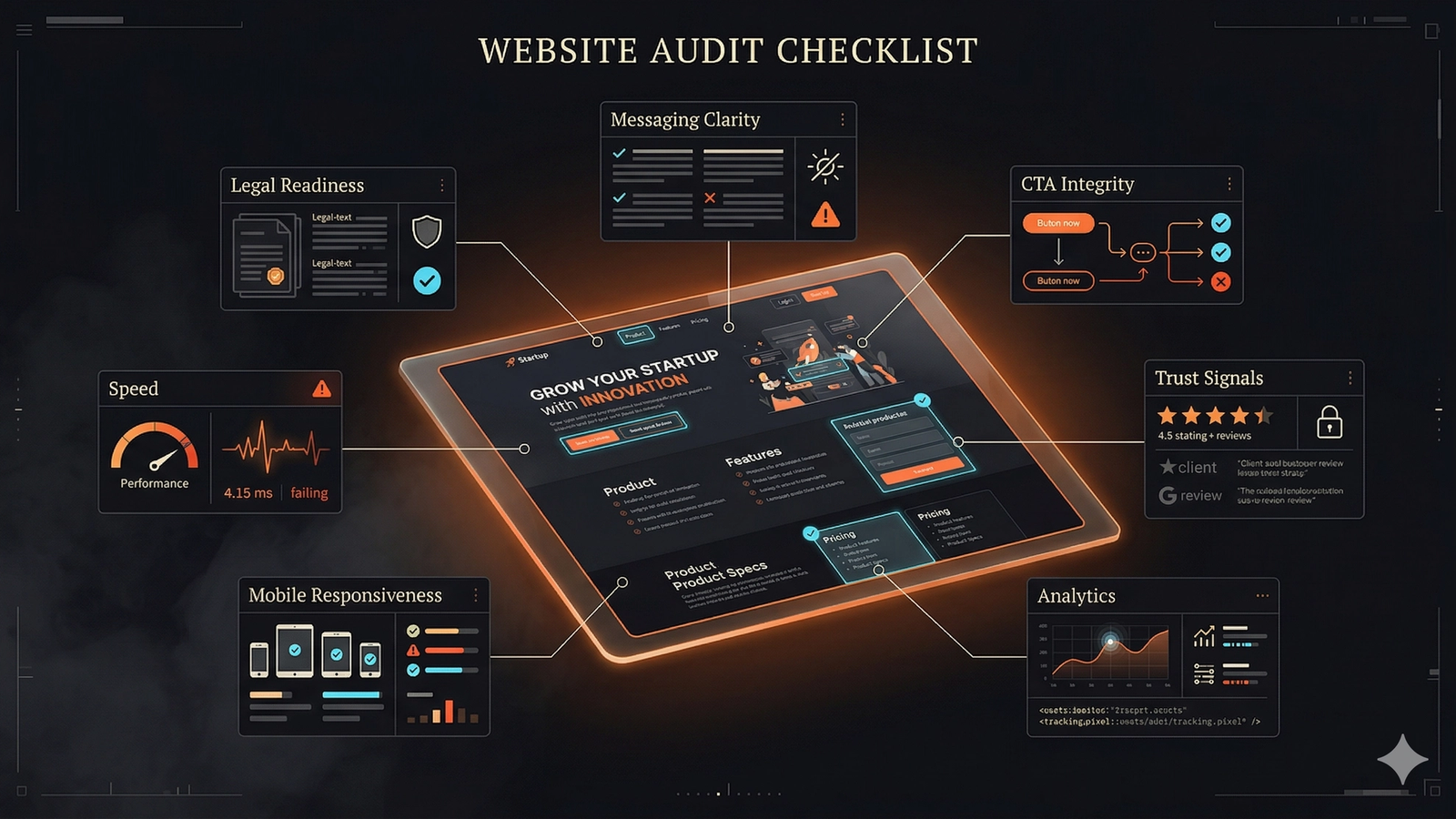
A pre-launch website audit is a startup's defense against silent conversion killers. This checklist covers 10 critical areas to review before going live: message clarity, offer architecture, technical basics, conversion path integrity, form QA, trust signals, mobile experience, site speed, analytics setup, and content gaps. The goal is to remove doubt and friction for visitors, ensuring the site can support key actions like booking a demo or signing up. By scoring each area, founders can prioritize fixes for launch-critical issues, focusing on message, CTA, and trust first. This prevents launching a site that's technically live but...
Most startup websites do not fail because the founder forgot one clever growth hack.
They fail because the site goes live with five quiet leaks at the same time.
The headline is vague. The CTA is inconsistent. Analytics are half-installed. The mobile layout is awkward. The form sends nowhere. Legal and trust pages are missing. Search engines can crawl the site, but nobody can tell what the company actually does.
A pre-launch audit is your defense against these silent killers.
A startup site does not need to be huge before launch, but it does need to be coherent. If you want the full multi-category version of that review, SavageAudit's full-site audit handles the deep pass. This article is the lean operating checklist founders can run before they open the doors.
What a startup website has to do before launch
Before launch, your website has one real job: remove doubt fast enough for the right visitor to take the next step—booking a demo, joining a waitlist, creating an account, replying to outreach with "this looks legit," or understanding the product well enough to share it internally.
A pre-launch audit should test whether the site can support those outcomes without friction.
The startup website audit checklist
Use this as a pass-fail checklist, not a vague aspiration list.
1. Message clarity
The first screen should make three things obvious within seconds.
- What the product is
- Who it is for
- What happens next
Test your homepage against these questions:
- Does the headline describe the product, not just the ambition?
- Would an outsider understand the target user without reading the entire page?
- Does the subhead explain the outcome or value in plain language?
- Is the primary CTA specific instead of generic?
Bad startup messaging usually sounds impressive in a pitch room and useless on a webpage.
If the site says "redefining digital workflows for modern teams," nobody knows what to do with that. If it says "audit your homepage, landing pages, and conversion leaks before paid traffic burns cash," the visitor can orient immediately.
2. Offer architecture
A startup does not need fifty pages, but it does need the right page roles.
Before launch, make sure the site has a clean path between these surfaces:
- homepage
- primary product or service page
- pricing or offer explanation
- contact or booking page
- trust pages like About, Privacy, and Terms
- supporting pages for FAQs, categories, or comparisons when relevant
Your page architecture should confirm that:
- Every page has a clear role.
- There is one primary CTA pattern across the site.
- Important pages are reachable in one or two clicks.
- Navigation labels sound like real user questions instead of internal jargon.
Many startups create accidental friction here. They add pages but never define which page is supposed to drive the conversion.
3. Technical launch basics
You do not need enterprise complexity before launch, but you do need technical competence.
Your technical quality assurance should cover these basics:
- Every important page has a unique title and meta description.
- Canonical tags point to the correct URL.
- The site is crawlable and not blocked by accidental
noindexor staging rules. - XML sitemap and
robots.txtexist and make sense. - Open Graph and social preview tags are present on key pages.
- Forms, buttons, and booking links actually work.
- Favicon, brand name, and browser title are correct.
You should also verify that your staging leftovers are gone. This means hunting down:
- placeholder testimonials
- broken image paths
- temporary email addresses
- old pricing text
- fake integration logos
- "coming soon" blocks that now confuse the launch narrative
4. Conversion path integrity
Most startup sites lose momentum between "interested" and "take action."
This friction appears when a page builds curiosity but fails to secure commitment.
Audit your conversion path by asking:
- Is the primary CTA repeated at logical points across the page?
- Does the CTA match the visitor's stage of intent?
- Is the next step low-friction enough for a first visit?
- Are there conflicting CTAs fighting for attention?
- Does the page explain what happens after the click?
Examples:
- If you want demo requests, say who the demo is for and what the visitor gets.
- If you want waitlist signups, explain what people get for joining.
- If you want trial starts, clarify setup time, risk, and the first moment of value.
Visitors hesitate when the click feels expensive or ambiguous.
5. Form and contact QA
Forms are one of the easiest launch failures to miss because founders test them once, on one browser, while already knowing what should happen.
A proper form QA verifies that:
- Required fields are actually necessary.
- Error states are readable.
- Mobile keyboard behavior is sane.
- Submission confirmation is visible.
- Notification emails go to the right place.
- CRM, email tool, or spreadsheet connection works.
- Thank-you pages or follow-up sequences exist.
If someone submits a form and gets silence, the website did not launch successfully, even if the page looks beautiful.
6. Trust and legitimacy signals
Visitors give early-stage companies less benefit of the doubt. Your site has to offset that.
Verify you have these signals in place:
- About page explains who is behind the company.
- Contact details are real and visible.
- Privacy Policy and Terms are published.
- Testimonials, client logos, or proof elements are real and not inflated.
- Security, process, or methodology claims are specific.
- Social profiles or public presence reinforce that the company exists.
For this reason, SavageAudit treats the internet and social presence audit as a separate review angle. A startup site does not live in isolation. Public footprint and on-site trust reinforce each other.
7. Mobile experience
Your site is not launch-ready if it only works on your laptop.
On a phone, check that:
- Hero copy is readable without awkward wrapping.
- Buttons are tappable.
- Forms are easy to complete on mobile.
- Sticky elements do not block content.
- Pricing tables or comparisons do not break the layout.
- Images and cards do not create sideways scrolling.
A lot of startup pages are technically responsive but practically annoying—which is just another way to fail.
8. Speed and interaction quality
Before launch, you do not need perfect lab scores. You do need a site that feels credible.
Confirm your site feels solid by checking that:
- Pages load fast enough that the first screen feels immediate.
- Fonts do not shift badly during load.
- Hero media is not oversized.
- Buttons, accordions, tabs, and nav menus work reliably.
- Third-party scripts are not dragging down the experience.
The right question is not "Did we get a perfect score?" It is "Does this site feel trustworthy when someone arrives cold from search, social, or email?"
9. Analytics and measurement
If you launch without clean measurement, you are choosing to stay confused longer.
Before you go live, confirm that:
- Analytics is installed on every key page.
- Primary CTA clicks are tracked.
- Form submissions are tracked.
- Booking completions or trial starts are tracked.
- Search Console and Bing Webmaster tools are connected when relevant.
- UTM traffic can be separated from direct and organic traffic.
Do not wait until after launch to decide what success means. If you cannot tell which page is leaking intent, your optimization loop starts blind.
10. Content gaps that create launch friction
A site can be technically sound and still underperform because it leaves obvious questions unanswered.
Check for missing content around:
- who the product is for
- how pricing or plans work
- why the offer is different
- what implementation looks like
- what outcomes users should expect
- common objections or constraints
You do not need an encyclopedia before launch. You do need enough substance that a serious buyer does not bounce just to ask a basic question you should have answered already.
A simple pre-launch scoring grid
If you want a tighter process, score each area red, yellow, or green.
| Area | Red means | Yellow means | Green means |
|---|---|---|---|
| Messaging | Nobody can tell what you do | Offer is vague or confusing | Offer is clear and specific |
| Conversion path | CTA is missing, broken, or confusing | CTA is present but the next step feels risky | CTA is clear, low-friction, and matches intent |
| Technical basics | Major technical errors (crawl, links, meta) | Minor technical cleanup needed | Technically sound |
| Trust | Feels anonymous or untrustworthy | Has some proof but lacks authority | Clear company, proof, and legal basics |
| Mobile and speed | Obviously clunky or broken | Usable but has rough edges | Smooth and credible experience |
| Measurement | No usable analytics | Partial tracking is in place | Key events and sources are measured |
If you still have multiple reds, you are not auditing polish. You are auditing launch risk.
What to fix first if time is short
If launch is close and you cannot improve everything, do these in order.
- Clarify the homepage message.
- Fix the main CTA and form flow.
- Clean up trust and legal gaps.
- Verify mobile usability.
- Install measurement on the core actions.
This order protects your immediate conversion potential and your ability to learn from real traffic.
What not to delay launch for
Do not hold the launch because:
- the blog archive is still small
- every secondary page is not perfect
- the design system is not fully mature
- you have not written every future use case page yet
Do delay the launch if:
- key visitors cannot understand the offer
- the main action path is broken
- the site feels suspicious or incomplete
- you cannot measure whether it is working
This is the line that matters.
A better founder question
Do not ask, "Is the website finished?"
Ask, "Can the right visitor understand, trust, and act on this site without human rescue?"
This is the real pre-launch standard.
If you want the deeper version across messaging, UX, SEO, performance, trust, and competitive positioning, use SavageAudit's full-site audit. If you want a more surgical breakdown of page-level leak categories, start with website audit categories.
Launch with a coherent site. Then learn from real traffic instead of apologizing for preventable mistakes.
Common questions
How early should a startup run a website audit before launch?
Run one structured pass at least a few days before launch, then a final QA pass on the day before or morning of launch after all copy and integrations are locked.
What pages are absolutely necessary before a startup launch?
At minimum, you need a homepage, a clear primary offer page, a working contact or conversion path, and the basic trust and legal pages that make the company feel real.
Does a startup need a blog before launch?
Not always. A startup needs clarity, proof, and conversion integrity first. A blog helps when it answers real objections, supports search demand, or strengthens category understanding.
Should founders wait until the design is perfect?
No. They should wait until the site is clear, trustworthy, usable, and measurable. Perfect visual polish is less important than eliminating the biggest trust and conversion leaks.
Keep the diagnosis moving
Run your own public presence audit
See how your website, search footprint, AI visibility, social proof, and conversion trust look from the outside.