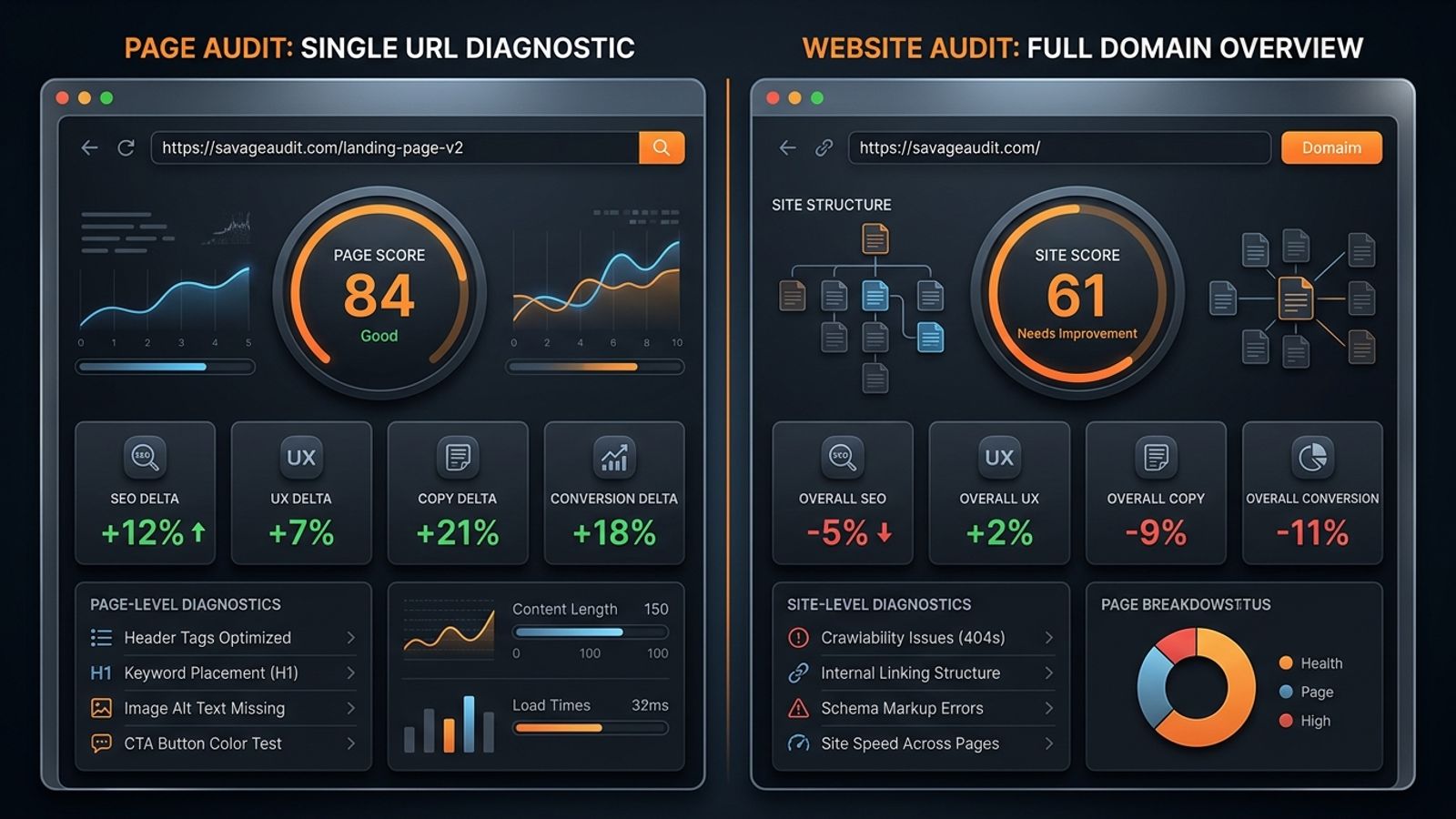
A page audit diagnoses a single URL like a homepage or demo page to fix localized conversion or SEO leaks. A website audit crawls the entire domain to identify systemic rot, broken templates, and structural architecture flaws. The rule is simple: audit the smallest unit that explains the failure. Use a page audit for isolated bottlenecks, a side-by-side comparison for redesigns or competitors, and a full-site audit when problems repeat across your templates.
Most "website problems" are actually just localized failures disguised as systemic rot. The issue usually boils down to one weak pricing page, a vague homepage that fails to explain the category, or a demo page asking for a massive commitment before earning a shred of trust. Sometimes, it is a redesigned landing page that looks expensive but converts like wet cardboard.
Understanding the practical difference between a page audit vs website audit comes down to diagnosis. The goal is never to generate a massive PDF of errors; you want to isolate the smallest unit that can explain the failure. When a specific URL bleeds rankings or leads, you audit that asset. When the same leak repeats across templates and user journeys, you zoom out.
SavageAudit exists for this exact type of blunt diagnosis, evaluating real URLs across Performance, SEO, Design, Copy, UX, and Conversion to find the actual leak rather than spitting out a generic health score.
The Practical Difference Between the Two
A page audit examines a single URL as a standalone business asset. It isolates a homepage, a pricing tier, a product landing page, or a specific blog post to see how it performs in a vacuum, applying a surgical approach to fix a localized problem.
A website audit examines the site as an interconnected system. It looks across representative pages, templates, internal linking structures, and conversion paths. For example, SavageAudit’s full-site audit caters to teams needing more than a single-page score by running a representative crawl that captures the homepage, pricing, key landing pages, the blog, and documentation.
The distinction is purely functional. Do not use a chainsaw when the problem is a splinter, and do not use tweezers when the roof is collapsing. A single underperforming landing page requires immediate, actionable feedback on that specific URL. Sitewide speed issues, recurring UX flaws baked into core templates, or a massive redesign require a wider lens because a single URL analysis will only show you a symptom, not the disease.
Start With the Unit of Failure
Before buying an audit, arguing with an agency, or scheduling another cross-functional alignment meeting, you have to define the failure. You need to know exactly where the pain shows up and whether it represents an isolated incident or a repeating pattern.
Look at your analytics, pipeline, sales calls, and user behavior. When 70% of your paid traffic goes to one specific demo page and the conversion rate is abysmal, the whole website is not on trial. The demo page is. Teams frequently misdiagnose this by blaming the broader brand or the overall architecture for a localized conversion drop. Similarly, a highly commercial page stuck on page two of search results shouldn't trigger a sitewide content overhaul.
A proper diagnosis always starts by asking why a specific URL fails at its job, requiring a check of that page's intent match, internal links, content depth, proof, page speed, and post-click experience.
When a Single Page Audit Is the Right Move
You should rely on a page audit when one URL owns the business outcome.
Take a SaaS demo page that gets steady traffic, has a functioning form, and features a prominent CTA, yet still fails to generate pipeline. Everyone usually shrugs and blames the traffic quality, but the page is likely failing because it ignores the buyer’s most basic questions. Visitors need to know they are in the right place, that the product solves their specific problem, and what exactly will happen after they submit their information. As outlined in the SaaS demo page audit checklist, a demo page acts as a conversion checkpoint, not a brochure. It demands a surgical audit when the headline focuses on what the company does rather than why the buyer should care, or when the CTA demands a meeting before providing credible proof.
Homepages take the blame for almost everything, and sometimes they absolutely deserve it. The homepage’s job is not to catalog everything the company has ever done. Its actual job is to route the right people, establish category clarity, prove credibility, and create the next click. An audit becomes necessary when new visitors cannot identify your category within three seconds, or when the hero copy sounds like a committee of executives wrote it using words like "platforms" and "unlocking potential" without naming an actual problem. Visually stunning but functionally useless homepages don't need a full-site crawl; they need a localized roast.
Pricing pages fail quietly. Buyers do not email support to complain that your packaging logic made them suspicious; they just close the tab and go to a competitor. These pages require an isolated audit when the tiers are difficult to compare or when feature names require tribal knowledge to understand. A pricing audit should be ruthless about clarity, risk mitigation, and decision flow. Hiding your limits until the buyer feels tricked is a terrible strategy, and a page audit will expose exactly where the friction lives.
Finally, consider the classic scenario where teams conflate site-level rankings with page-level performance. A website can have excellent overall search visibility while one high-value commercial URL completely fails to rank. A ranking problem can easily be a copy problem, and a copy problem often stems from a lack of trust. That trust deficit eventually looks like an SEO issue in your analytics dashboard because users bounce back to the search results. Single-metric audits are dangerous here, which is why examining the title tag, meta promise, heading hierarchy, and search intent match on that specific URL is critical.
The Same Six Categories Apply at Both Scales
Whether you are auditing one URL or crawling the entire site, your diagnostic framework should not fragment into five disconnected tools resulting in three conflicting opinions.
SavageAudit utilizes a strict six-part framework: Performance, SEO, Design, Copy, UX, and Conversion.
At the page level, this framework asks targeted questions about whether a specific URL is fast enough to keep a user's attention, if the visual hierarchy clarifies the message, and if the page makes the desired action feel credible.
At the site level, those exact same categories expose systemic rot. Instead of finding one bloated image, it identifies slow templates. Instead of one bad headline, it reveals a pattern of vague messaging across the entire buyer journey. Using one unified framework keeps growth, product, design, SEO, and engineering teams from arguing in different languages.
When You Need a Full Website Audit Instead
A page audit becomes useless when the problem isn't actually the page. You have to run a website audit when the damage is structural and repeating.
When every single product page on your site features thin copy, weak metadata, buried calls-to-action, and zero customer proof, auditing one page only gives you a sample of the disaster. It does not provide a solution. This is a template problem. A full-site audit identifies these recurring patterns across your structure, content, and performance, producing a prioritized path to fix the root cause. Teams waste incredible amounts of money fixing one page and declaring victory while the exact same conversion disease lives inside forty other URLs.
Broken information architecture is another structural failure. When potential buyers cannot find your pricing, core use cases, documentation, or comparison pages, you do not have a landing page issue. Symptoms of broken architecture include navigation menus that reflect your internal org chart rather than buyer needs, and blog content that completely fails to link to commercial pages. A website audit is necessary here because the failure exists in the relationship between the pages, not on the pages themselves.
The same logic applies when rankings plateau across clusters. When multiple pages are stuck on page two, cannibalizing each other, or lacking internal link support, a single page audit is too narrow. A site often loses in search because the broader content system is weak, not because one specific URL forgot to include a keyword. Better topic coverage, internal structure, and supporting pages dictate search visibility. To understand this broader gap, the framework in how to compare two websites for SEO outlines exactly how to measure cluster depth and internal routing.
Ultimately, a full website audit is highly effective when a cross-functional team needs a single, objective operating view. Founders usually think messaging is the primary issue, SEO teams blame internal linking, designers think the visual hierarchy is broken, and engineering just wants everyone to stop installing third-party tracking scripts. They might all be right. A comprehensive audit exposes the mismatch between the traffic you acquire, the story you tell, the trust you build, and the action you actually want visitors to take.
When You Should Compare Two Pages Side by Side
Sometimes the most effective audit isn't looking at one page, and it isn't crawling the full site. It is putting two URLs right next to each other.
SavageAudit’s Compare mode serves as a specialized web page comparison tool, auditing two URLs using the same six-category framework to deliver objective score deltas and category-level contrasts. It allows product and growth teams to visually compare two web pages and understand exactly where the performance or conversion gaps lie, which is invaluable when internal opinions are getting expensive.
This is especially critical for redesign validation. A redesign is not automatically an improvement; very often, it is just a cosmetic crime scene with updated gradients and heavier code. You should always compare the old page against the new page in a staging environment before you launch. A redesign has to be judged by its impact on clarity, routing, speed, and conversion—not by how nice the screenshots look in a stakeholder presentation. Did the copy actually get clearer, or did it just get shorter? Did the proof move closer to the primary CTA, or did it disappear entirely? For a deeper look at this process, review how to compare your website against a competitor before a redesign.
Side-by-side analysis is also the best way to handle competitor comparisons. When a competitor outranks or out-converts you, comparing your entire brand to theirs is usually a waste of time. You need to compare the specific page doing the heavy lifting. A proper page-level SEO comparison service requires you to evaluate equivalent assets: homepage to homepage, pricing to pricing, or demo to demo. You are looking to see which page explains the category faster, which one proves value earlier, and which CTA feels like a lower risk to the buyer. You are diagnosing their mechanical advantage, not copying their color palette.
Diagnostic Rules and Expensive Mistakes
The rule for choosing your audit type is straightforward: audit the smallest unit that can explain the failure. Choose a single page audit when one URL owns the traffic or conversion problem, such as a weak homepage or a low-converting demo page needing fast, concrete critique. Choose a two-page comparison when validating a redesign or comparing your offer to a direct competitor, requiring objective deltas rather than subjective opinions. Choose a full website audit when problems repeat across pages, core templates are broken, SEO clusters are weak, and your team needs a prioritized, cross-functional roadmap to fix systemic issues.
Despite these rules, teams still make expensive diagnostic mistakes. They boil the ocean by auditing the entire site when only the demo page is the bottleneck. Conversely, they try to fix a single landing page when every page on the domain shares the exact same structural template flaws. They treat SEO as separate from conversion, forgetting that a page can rank perfectly and still fail to generate revenue, or convert beautifully while remaining invisible to search engines. And they routinely let design lead the diagnosis, redesigning unclear positioning without fixing the underlying copy—which just creates a better-looking lie.
Final Verdict
Deciding between a page audit and a website audit is not about your budget, your tool preference, or how dramatic your growth team wants the project to feel. It is entirely about accurate diagnosis.
Start with the smallest unit that can explain the failure, and expand the scope only when the evidence demands it. That is how you avoid audit theater. And audit theater is just expensive procrastination with a PDF.
Common questions
When should I choose a page audit over a full website audit?
Choose a page audit when a single URL—like a demo page, pricing page, or homepage—owns the business outcome and is underperforming. It allows for a surgical diagnosis of localized conversion or SEO leaks without the noise of a sitewide crawl.
What does a website audit uncover that a page audit misses?
A website audit identifies systemic rot, such as broken core templates, sitewide speed issues, cannibalizing SEO clusters, and broken information architecture. It reveals patterns of failure across the entire domain rather than isolated symptoms.
How do I validate a website redesign before launching?
Never rely on screenshots. Use a web page comparison tool to run a side-by-side audit of the old page versus the new staging page. Compare them across Performance, SEO, Design, Copy, UX, and Conversion to ensure the redesign actually improves clarity and speed.
Keep the diagnosis moving
Run your own public presence audit
See how your website, search footprint, AI visibility, social proof, and conversion trust look from the outside.