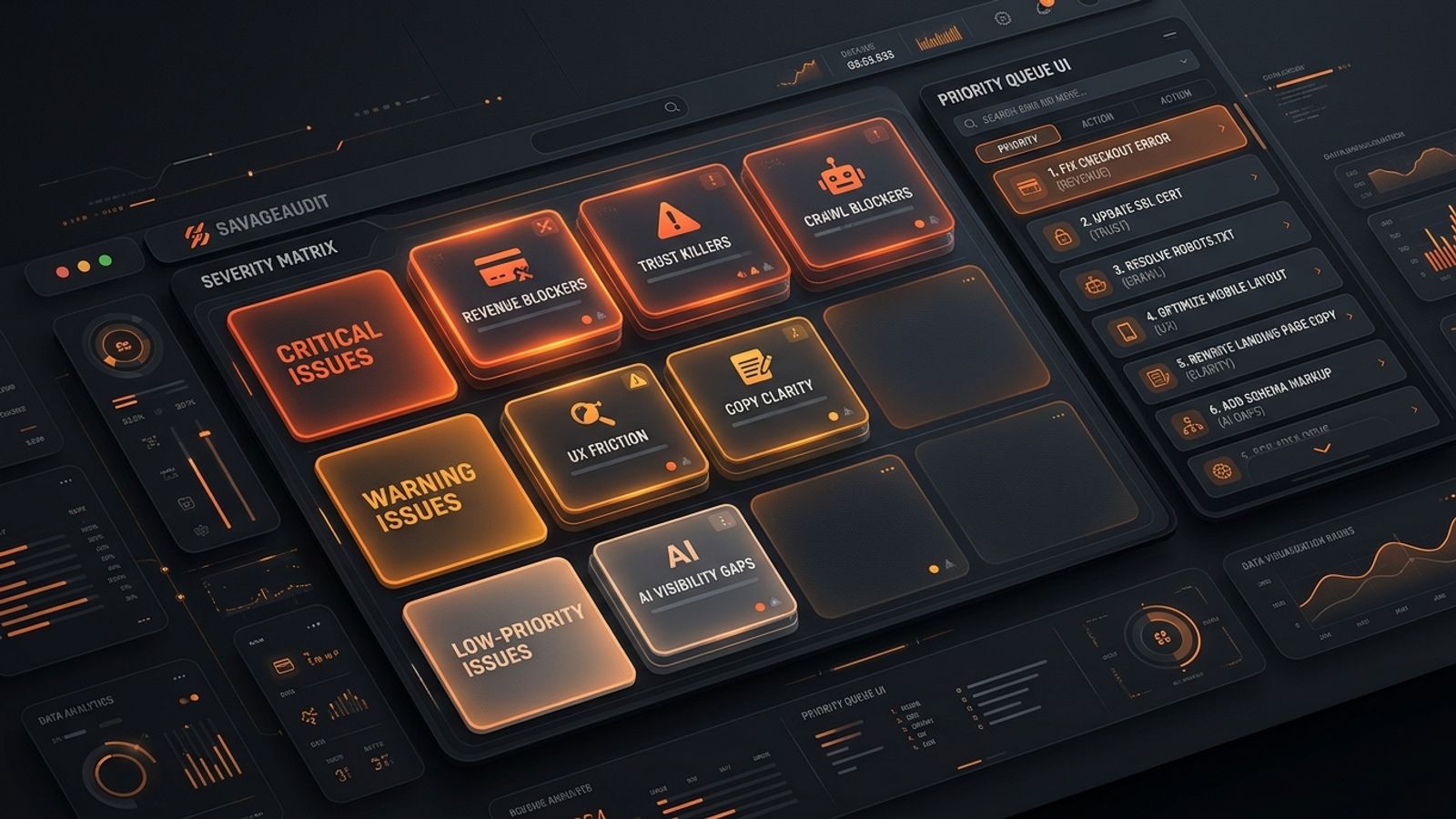
Website audit severity levels help teams prioritize fixes based on business impact rather than technical perfection. The most critical issues are revenue and task blockers, such as broken forms or failed checkouts. High-severity issues include trust killers (vague copy, confusing pricing) and crawl blockers (noindex tags on key pages). Medium-severity issues cover speed and UX friction, while low-severity items involve minor copy gaps and aesthetic polish. By categorizing issues this way, teams can build an action plan that protects revenue first.
Most audit reports are not action plans. They are issue dumps with nicer formatting. Treat a missing meta description and a broken demo form with the same urgency, and you waste weeks polishing corners while the site actively leaks leads.
Website audit severity levels exist to solve this exact problem. Severity is not about how scary a red flag looks in your seo audit dashboard. It comes down to a single question: how badly does this issue block discovery, trust, understanding, conversion, or revenue right now? Growth teams and operators do not need to fix everything. They need to decide what deserves attention first. SavageAudit delivers this kind of blunt prioritization, separating real damage from audit noise.
The danger of treating all audit flags equally
When you run a standard scan, the tool inevitably spits out dozens, if not hundreds, of warnings. Without a framework for website audit severity levels, teams gravitate toward the easiest fixes rather than the most impactful ones. A developer might spend three hours optimizing image sizes on a deprecated blog category while a broken calendar link on the main demo page costs the company five inbound leads a day.
This misalignment happens because standard audit tools lack business context. They flag a missing heading tag with the same visual weight as a fatal JavaScript error on the checkout page. Operators must overlay their own severity matrix on top of the raw data to protect their team's time. A useful audit should answer what is stopping the site from being found, trusted, or acted on. If a problem blocks one of those core functions, it is severe. If it merely makes the site less elegant, it can wait.
Here is the standard severity stack to guide your next sprint:
- Critical: Revenue blockers and task blockers
- High: Trust killers
- High: Indexing and crawl blockers
- Medium: Speed and UX friction
- Low-to-medium: Copy clarity gaps
- Low-to-medium: AI visibility and citation gaps
- Backlog: Nice-to-have polish
Severity Level 1: Critical — revenue and task blockers
Critical issues stop users from completing the action that matters most. These are not optimization opportunities; they are leaks in the pipe. When a demo form fails to submit, checkout breaks on mobile, or a pricing page goes down, visitors cannot buy from you even if they desperately want to.
These revenue and task blockers demand immediate attention because they render the rest of your marketing efforts useless. If a visitor cannot book, sign up, or evaluate your product, stop debating and assign the ticket. Usually, engineering, RevOps, or whoever owns the conversion path needs to step in to push a fix. Marketing can flag it, but a broken primary CTA is a production emergency, not a brand workshop.
Severity Level 2: High — trust killers
High-severity issues do not always break the site mechanically. Often, they break buyer confidence. A visitor might be perfectly capable of submitting your form but decides against it because the page feels risky, unsupported, or amateur.
We evaluate website audit categories across Performance, SEO, Design, Copy, UX, and Conversion because websites fail as intertwined systems. Trust is not a single badge in your footer. It is the combined effect of clear messaging, visible proof, logical visual hierarchy, and a credible design. If your homepage headline refuses to explain what the product does, or your pricing is deliberately confusing, you are actively killing trust. Treat these gaps as high-priority emergencies on core conversion pages, because a site without credibility converts no one.
Severity Level 3: High — indexing and crawl blockers
Some website problems never hurt the visitor directly because the visitor never arrives. SEO blockers earn a high severity rating when they prevent important pages from being discovered, crawled, indexed, or understood by search engines.
Launch-ready sites must ensure key pages are crawlable and avoid accidental staging blocks. If important commercial URLs are marked noindex, missing from the XML sitemap, or blocked in robots.txt, search engines will simply ignore them entirely. Template-wide SEO problems multiply rapidly across a domain. One broken meta pattern on a core template is a factory for invisible pages, creating a systemic issue that drags down overall performance. Prioritize these fixes immediately if organic search is a meaningful channel for your business.
Severity Level 4: Medium — speed and UX friction
Performance and UX issues often sit in the middle of the severity stack. They are not always fatal, but they become incredibly expensive when they introduce friction to high-intent traffic. SavageAudit evaluates performance using standard Lighthouse metrics like LCP, CLS, FCP, and TBT, alongside UX realities like navigation depth and mobile layout.
A slow hero image delays comprehension, layout shifts make buttons hard to tap, and forms demanding unnecessary information cause qualified visitors to abandon the process entirely. Being technically functional is not the same thing as being easy to complete. When measurable friction appears on a page supported by paid or sales traffic, bump it up the priority list to stop bleeding budget.
Severity Level 5: Low-to-medium — copy clarity gaps
Copy issues scale in severity depending on their location and job. A vague homepage headline is a high-severity crisis because it forces visitors to translate your business for themselves, whereas a dull paragraph halfway down a secondary page is a low-priority task.
Unclear copy becomes a severe buying barrier when it obscures your target user, the expected outcome, pricing logic, or competitive differentiation. SaaS teams running a landing page audit checklist for SaaS demo pages often uncover predictable structural failures here. You will usually find weak proof, vague CTAs, and a total lack of positioning clarity before the visitor is ever asked to convert. Fix the copy that directly supports the buying decision first.
Severity Level 6: Low-to-medium — AI visibility and citation gaps
AI visibility is still a messy category. Avoid letting someone sell you panic with an overly complex dashboard, but do not ignore the shift entirely either. For practical prioritization, treat AI visibility as a fundamental clarity problem first.
If humans cannot understand what you do, who you serve, and why you are credible, machines have little structured context to work with. Missing methodology explanations, unsupported claims, and thin About pages overlap heavily with SEO, copy, and trust. Treat these gaps as medium severity when organic discovery matters in your category. Otherwise, focus on broken forms and unclear offers first, ensuring your site can explain itself to a human buyer before worrying about citations.
Severity Level 7: Backlog — nice-to-have polish
This is where audit reports get bloated. Polish has value, but it rarely deserves to cut the line. Minor spacing inconsistencies, decorative animation tweaks, and low-priority metadata rewrites belong in a backlog, not a sprint emergency.
The danger of aesthetic polish is that it feels productive and safe. It lets teams avoid harder questions about whether search engines can crawl their money pages or if their demo page actually convinces anyone to book a call. Polish is often just procrastination with a design file open. Push these items down the list until the structural and revenue-blocking issues are resolved.
The SavageAudit severity matrix
Use this quick matrix when reviewing an audit report, evaluating an audit page, or sorting the output from a web page audit. It bridges the gap between raw data and sprint planning.
| Severity | Meaning | Fix timing | Examples |
|---|---|---|---|
| Critical | Blocks revenue, access, or task completion | Now | Broken form, failed checkout, inaccessible pricing page |
| High | Blocks trust or buyer confidence | This sprint | Vague homepage, missing proof near CTA, confusing pricing |
| High | Blocks crawling, indexing, or search eligibility | This sprint | Noindex on key page, robots.txt problem, missing key URLs |
| Medium | Creates friction or measurable drag | Next sprint | Slow LCP, buried mobile CTA, long form |
| Low-to-medium | Weakens clarity or discoverability | Planned backlog | Thin FAQs, generic section copy, weak supporting content |
| Backlog | Cosmetic or marginal improvement | Later | Minor spacing, decorative polish, low-impact cleanup |
Severity shifts based on page importance, traffic source, funnel stage, recurrence, and business model. A slow page with zero traffic is not urgent, but a slow paid landing page needs immediate attention.
Page-level vs. site-wide severity
A single page audit works perfectly when one specific URL is the bottleneck holding back a campaign. However, a full domain assessment becomes necessary when the same issue appears across templates, navigation patterns, or content models.
This distinction directly impacts how you grade severity. If an issue repeats across multiple pages, you must raise its priority. A weak proof section on one landing page requires localized copy work, but a complete lack of proof architecture across the entire domain is a systemic trust problem. SavageAudit’s full website audit is designed for this wider view, exposing recurring template leaks and providing a prioritized fix sequence across representative page types.
How to turn an audit report into a severity-based fix list
Before assigning work, run every issue through this triage process to build a real website audit action plan that respects your team's bandwidth.
1. Label the page type and business function
A problem on a homepage carries entirely different weight than a problem on a blog post. Define what the page is supposed to do—capture leads, explain the offer, or attract search traffic. If a problem damages the page’s main job, severity goes up instantly. If the problem is irrelevant to the primary goal, push it down the list.
2. Label the failure type
Categorize the issue using simple buckets: revenue blocker, trust killer, crawl blocker, speed drag, UX friction, clarity gap, or polish. By labeling the failure type, you prioritize based on actual business damage rather than treating every dashboard notification as a crisis.
3. Check whether it is isolated or systemic
If a problem exists on one page, fix the page. If it exists on fifty pages, you need to fix the template, component, CMS field, or navigation pattern. Systemic issues deserve higher priority because they keep reproducing until you address the root cause, multiplying your technical debt in the background.
4. Assign one owner
Every severe issue needs exactly one owner. Avoid assigning a vague department like "marketing and product." Assign one accountable person who will drive the fix, even if they need contributors to get it done. Audit reports die in shared responsibility.
Where SavageAudit fits
SavageAudit gives a blunt, data-backed verdict instead of a polite pile of observations. Your worst issue is rarely just an isolated technical flaw. It is usually a combination of technical drag, confusing messaging, and UX friction that ultimately kills conversions.
Run an automated website audit when you need a direct read on a URL, or evaluate the full site to catch recurring template rot. The goal is not a prettier report or a perfect theoretical score. The goal is fewer excuses and better fixes.
Common questions
What are website audit severity levels?
Website audit severity levels are priority labels that show how urgently an issue should be fixed. The best severity systems rank issues by business impact, determining whether they block revenue, trust, search visibility, usability, or conversion. This prevents teams from wasting time on low-impact polish when core pages are broken.
Which website audit issues should I fix first?
Fix revenue blockers first. That includes broken forms, failed checkouts, inaccessible pricing pages, broken CTAs, and anything preventing users from completing the main conversion action. Once those are stable, move on to trust killers and crawl blockers.
Are SEO issues always high severity?
No. SEO severity depends entirely on the business impact of the affected page. A noindexed product page is high severity because it actively blocks revenue and discovery. A weak meta description on an old, low-traffic blog post is low severity. Prioritize SEO issues that affect crawling, indexing, templates, or high-intent commercial pages.
Are design issues usually low priority?
Not automatically. Design issues become severe when they damage trust, hide important information, reduce readability, or make the next step unclear. Visual polish is low priority, but a credibility failure caused by poor layout is a major conversion risk.
Should I fix every issue in an audit report?
No. Fixing every issue in order is how teams waste time on trivial tasks. Build a website audit action plan by grouping issues by severity, business impact, and recurrence. Fix blockers first, then trust and discoverability problems, then friction, and leave the aesthetic polish for later.
Keep the diagnosis moving
Run your own public presence audit
See how your website, search footprint, AI visibility, social proof, and conversion trust look from the outside.