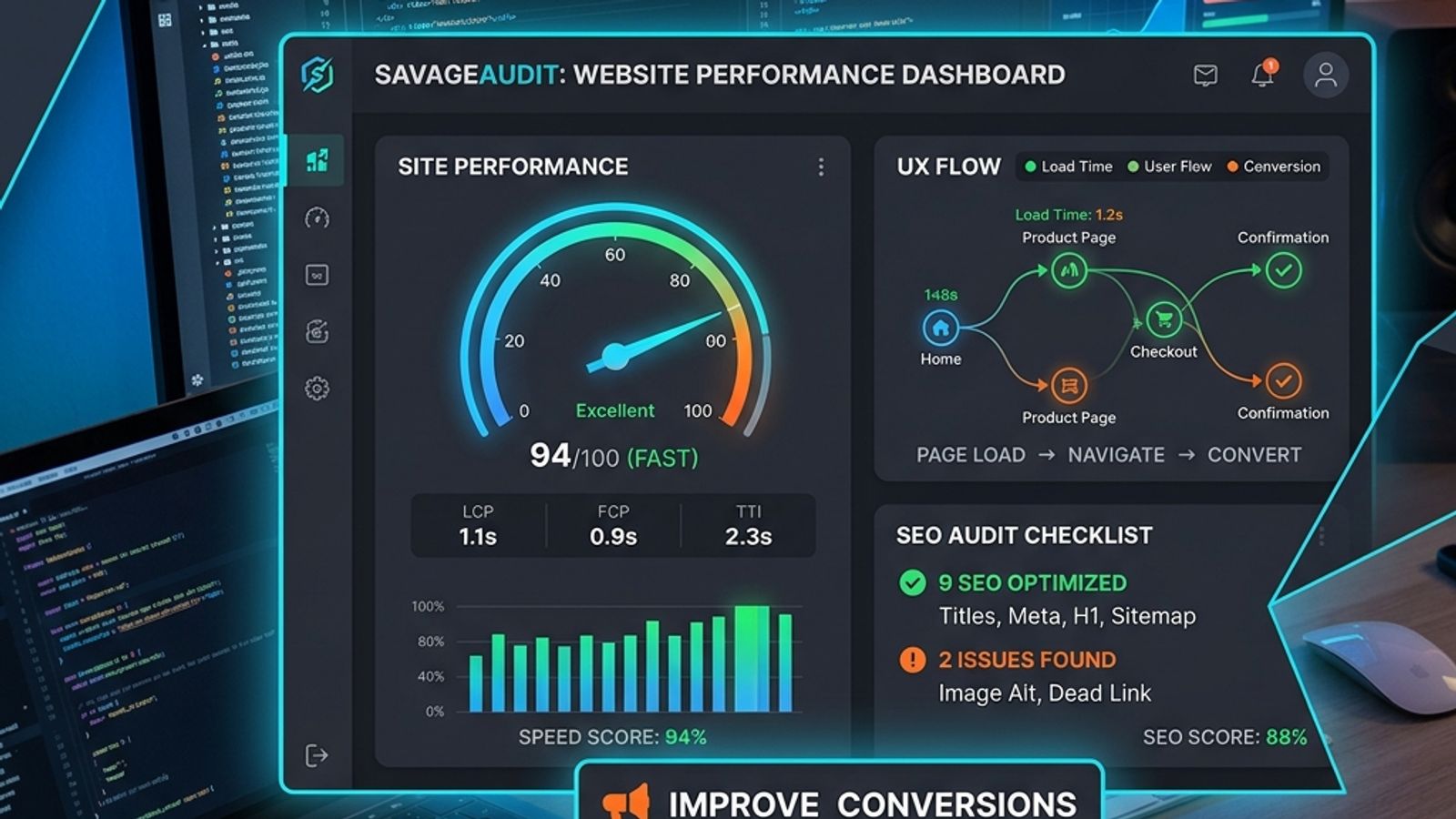
Siloed website audits for speed, UX, or SEO miss the real problems. A fast page can be confusing, a technically sound page can have a weak message, and a polished design can hide the call to action. To find what’s actually broken, you must review technical signals and the visitor experience together. A combined audit connects performance perception, UX friction, SEO gaps, and conversion blockers in one review. This cross-functional approach helps teams prioritize fixes that improve both search visibility and a user’s decision to act, focusing on business outcomes instead of isolated metrics.
SavageAudit is a website audit tool that connects speed-related user experience signals with UX, SEO, design, copy, and conversion problems in one AI-powered review. It’s built for when you need more than a speed score—you need to understand how performance, clarity, and friction work together to kill conversions.
A fast page can still be confusing. A technically sound page can still have a weak message. A polished design can still hide the call to action. Siloed audits miss these connections. To find what’s actually broken, you have to look at technical signals and the visitor experience at the same time.
Why speed, UX, and SEO should be reviewed together
Website speed, user experience, and SEO are not separate disciplines; they are intertwined factors that determine whether a page works. Search engines reward pages that are crawlable, coherent, and solve a problem. Users stay on pages that load fast, make sense, and show them what to do next.
Auditing only one area guarantees you’ll miss the real problem.
- A page scores 95 in a performance tool but fails because the headline is vague and visitors bounce.
- A page has perfect on-page SEO but loses mobile users because the layout is a nightmare to scan.
- A landing page looks professional but converts poorly because the call to action is ambiguous.
- A site gets impressions but few clicks because its titles and meta descriptions fail to match search intent.
- A developer fixes every technical issue flagged by a crawler, but the core business problem remains: visitors still don’t understand the offer.
A combined audit forces teams to prioritize fixes that improve both search visibility and a user’s decision to act.
SavageAudit vs speed, UX, and SEO tools
Specialized tools are essential. Lighthouse, PageSpeed Insights, GTmetrix, DebugBear, and Semrush all solve critical, specific problems. SavageAudit is different: it’s designed to run a cross-functional audit that connects the dots between perceived performance, UX, SEO, copy, and conversion in one practical report.
Use specialized tools when you need deep diagnostics in one area. Use SavageAudit when you need a single, coherent review that gets your entire team on the same page.
Performance checks
SavageAudit does not measure technical metrics like Core Web Vitals. For that, use a dedicated tool like Lighthouse or DebugBear. Instead, this audit analyzes structural and content-related issues that create the perception of a slow, frustrating experience. It connects technical factors to their direct impact on users, helping you prioritize fixes that improve how fast the page feels.
Interaction Delays and Sluggishness
The audit flags elements that can make a page feel unresponsive, delaying content comprehension or user action.
Structural Complexity
A page becomes hard to use when too many elements compete for attention. The audit flags dense layouts that increase cognitive load and make the page feel heavier than it is.
Media Overhead and Placement
Large images, excessive videos, or poorly placed media hurt perceived speed and usability. The audit points out where visuals might be making the page harder or slower to use.
Mobile Interaction Friction
Mobile users have less screen space and patience. The audit checks whether the page is practical, readable, and easy to interact with on a smaller screen.
Above-the-Fold Content Delivery
The audit checks if users can understand the offer and its value before they scroll. If the most important content is buried or appears to load slowly, visitors may leave.
UI and Navigation Bottlenecks
Forms, buttons, navigation menus, and popups can slow users down. The audit highlights areas where interaction feels unnecessarily difficult.
UX checks
A strong UX audit finds every point of friction. It’s about identifying every spot where a visitor has to stop and think too hard. SavageAudit focuses on these common failures:
Navigation clarity
Can users immediately understand where to go and how to find what they need? Confusing navigation kills engagement and conversions.
Page hierarchy
A page should guide a visitor’s attention from the headline to the explanation, the proof, and the call to action. A weak hierarchy forces users to do the work themselves.
Mobile usability
The audit checks if text, spacing, buttons, and tap targets are functional on smaller screens. What works on a desktop can be unusable on a phone.
Visual consistency
Inconsistent spacing, typography, buttons, or section styles make a site feel less credible. Design consistency builds trust.
Content scannability
Most people scan before they read. The audit looks for clear headings, bullet points, short paragraphs, and visual breaks that help users process information quickly.
User intent alignment
Does the page answer the question or solve the problem a visitor had in mind when they arrived? If the content doesn't match their intent, they will leave, no matter how good the design is.
Trust and credibility cues
Proof points, testimonials, social proof, security signals, and clear company information make users feel safer taking the next step.
SEO checks
Modern SEO is about more than keywords. Search engines and users reward pages that have a clear structure, align with intent, and deliver genuinely helpful content. The audit analyzes these critical factors:
Title and meta description quality
Titles and descriptions must be clear, relevant, and aligned with the search query. Vague snippets get fewer clicks and set the wrong expectations.
Heading structure
A logical heading structure (H1, H2, H3) helps both readers and search engines understand the page’s topic and hierarchy.
Search intent match
The audit reviews whether the page delivers the answer, solution, or information a visitor was looking for. A mismatch is a primary reason for bounces.
Keyword and topic coverage
A page should cover the concepts, phrases, and related questions that users expect for a given topic, without keyword stuffing.
Internal linking opportunities
Internal links guide users and crawlers to related content like product details, comparisons, case studies, and documentation, distributing authority across the site.
Content depth
Thin content rarely satisfies users or ranks for competitive searches. The audit can flag when a page needs more robust explanations, examples, or proof.
Snippet and AI-answer readiness
Pages are more easily featured in search snippets and AI-generated answers when they include concise definitions, comparison tables, and FAQ sections.
Conversion checks
Traffic is a vanity metric if the page doesn’t persuade visitors to act. A website audit must connect every issue back to business outcomes. SavageAudit hunts for these specific conversion blockers:
Call-to-action clarity
The primary CTA must be easy to find, specific, and a logical next step for the visitor.
Offer clarity
Can a visitor understand what the product does, who it’s for, and why they should care within seconds?
Message-market fit
The copy needs to address the real problems of the target audience, not just list product features.
Trust signals
Testimonials, client logos, reviews, case studies, data, guarantees, and security badges all work to reduce a visitor’s hesitation.
Form friction
Long forms, unnecessary fields, or a lack of clarity about what happens next will kill conversion rates.
Objection handling
A strong page proactively answers common questions and doubts about price, complexity, risk, and expected outcomes.
Landing page flow
The page must move logically from problem to solution to proof to action. If the sections are out of order, the argument falls apart and users lose interest.
How to run a speed, UX, and SEO audit with SavageAudit
Running a combined audit is straightforward:
- Enter your URL. Start with a key page like your homepage, a landing page, or a product page.
- Run the AI audit. SavageAudit analyzes the page for performance-related UX signals, SEO gaps, design flaws, copy weaknesses, and conversion friction.
- Review the recommendations. Identify what’s working, what’s broken, and what offers the biggest opportunity for improvement.
- Prioritize your fixes. Focus first on issues that impact clarity, perceived speed, mobile usability, and the primary call to action.
- Share the report. Send the audit to your team—developers, designers, marketers, and stakeholders—to build a shared understanding of the problems.
- Re-audit after making changes. Run another audit to verify your fixes and find the next layer of opportunities.
When SavageAudit is not the only tool you need
SavageAudit is built for a practical, cross-functional website review. It does not replace every specialized diagnostic tool.
Use Lighthouse or PageSpeed Insights for detailed Core Web Vitals diagnostics, lab data, accessibility audits, render-blocking resource reports, and layout shift analysis.
Use DebugBear for continuous performance monitoring, Core Web Vitals tracking over time, regression alerts, and deep diagnostics across different devices and locations.
Use GTmetrix for waterfall analysis, page weight breakdowns, request mapping, and detailed performance timing data.
Use Semrush for keyword tracking, backlink analysis, competitor research, technical site crawling at scale, and comprehensive SEO campaign management.
Use SavageAudit when you need a fast, holistic review that connects performance, UX, SEO, and conversion issues in language that the entire team can understand and act on.
Who should use a combined speed, UX, and SEO audit?
A combined audit gives different roles a shared, practical view of what’s wrong:
- Founders reviewing a homepage or product page to make sure the message is landing.
- Marketers trying to diagnose why a landing page isn’t converting.
- Agencies auditing client websites to find high-impact opportunities quickly.
- Developers checking a page before launch to catch user-facing issues beyond code quality.
- Designers verifying that the layout and hierarchy actually support the offer and guide the user.
- SEO teams looking beyond technical checklists to understand how page experience affects rankings.
- Growth teams hunting for friction points that are hurting activation and conversion rates.
Summary
Siloed tools give you isolated metrics. A combined speed, UX, and SEO audit gives you a plan. It forces teams to see how technical performance, page experience, and business goals are connected.
Use specialized tools like Lighthouse, DebugBear, or Semrush for deep diagnostics. Use SavageAudit for a fast, cross-functional review that gets your entire team focused on what actually matters to the business.
Common questions
What is a speed, UX, and SEO audit tool?
A speed, UX, and SEO audit tool reviews a website for performance-related issues, user experience problems, search visibility gaps, and conversion opportunities. SavageAudit combines these areas into one AI-powered website audit.
Is SavageAudit the same as Lighthouse or PageSpeed Insights?
No. Lighthouse and PageSpeed Insights are technical performance tools. SavageAudit is broader because it checks speed-related performance signals alongside UX, SEO, design, copy, and conversion factors.
Does SavageAudit measure Core Web Vitals?
No. SavageAudit identifies structural issues that create a poor user experience related to performance, but it does not measure Core Web Vitals. For detailed CWV measurement and monitoring, developers must use dedicated tools like Lighthouse, PageSpeed Insights, or DebugBear.
Who should use SavageAudit?
SavageAudit is useful for founders, marketers, agencies, designers, developers, SEO teams, and conversion teams that want a practical website audit covering performance, UX, SEO, design, copy, and conversion factors.
Can developers use SavageAudit?
Yes. Developers can use SavageAudit to understand which speed, UX, SEO, design, and conversion issues are most visible to users and stakeholders. For deep code-level diagnostics, developers should also use Lighthouse, PageSpeed Insights, GTmetrix, or DebugBear.
Can SavageAudit help improve conversions?
Yes. SavageAudit reviews conversion-related issues such as unclear calls to action, weak messaging, missing trust signals, confusing layout, form friction, and poor landing page flow.
Keep the diagnosis moving
Run your own public presence audit
See how your website, search footprint, AI visibility, social proof, and conversion trust look from the outside.