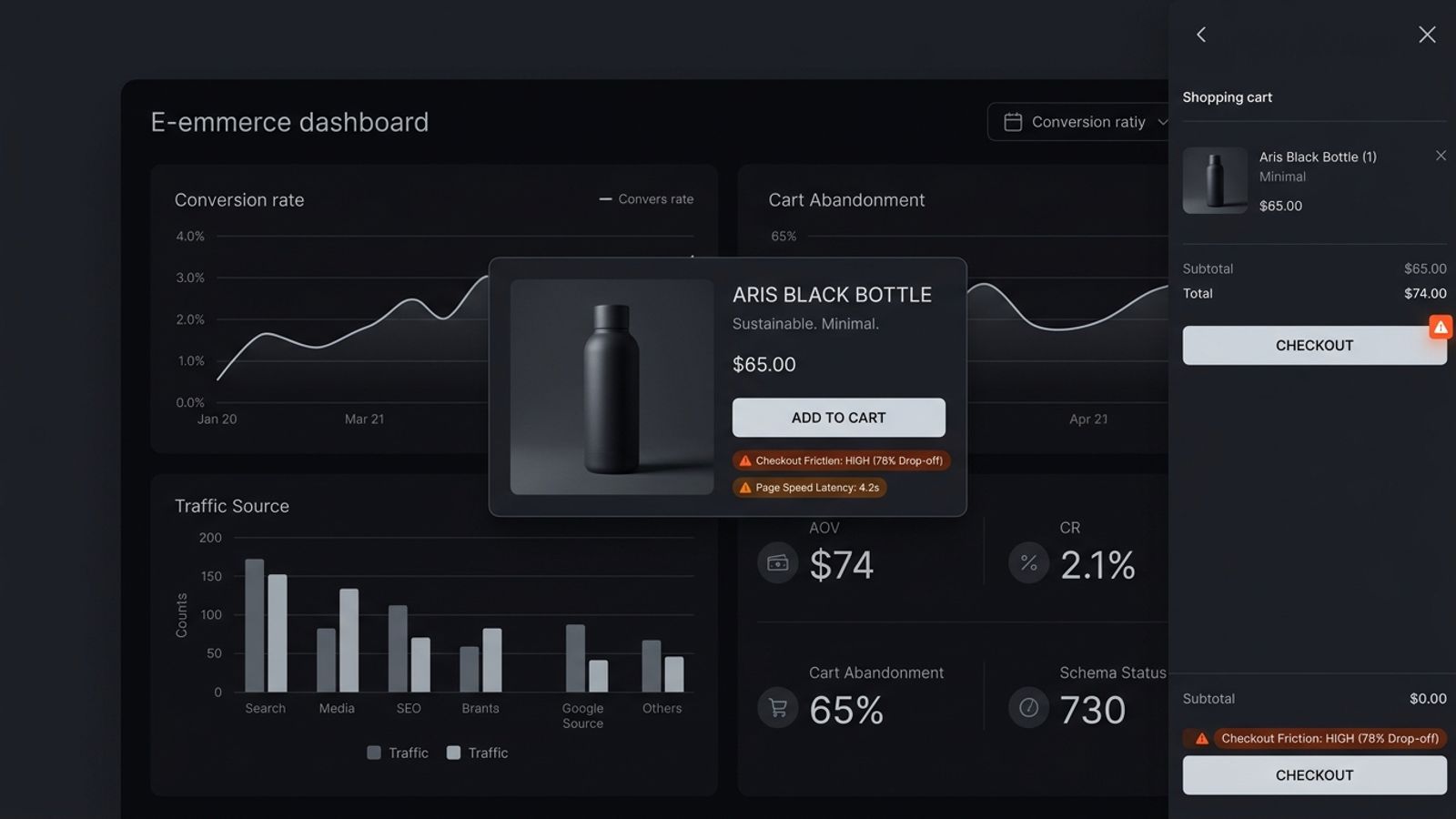
A Shopify website audit evaluates product detail pages (PDPs), cart drawer mechanics, mobile checkout friction, script bloat, and structured product data. Key audit areas include keeping the Add to Cart button visible above the fold on mobile, removing unexpected shipping costs, cleaning orphaned app scripts from theme code, and maintaining valid Product JSON-LD schema for Google Shopping and AI recommendations.
You spend $10,000 a month on Meta ads, TikTok creators, and Google Shopping. Clicks are coming in. Traffic looks healthy in Shopify Analytics. But your conversion rate is sitting at an anemic 1.1%.
Most e-commerce founders immediately blame their ad targeting or think their product is priced too high. So they run a 20% discount code or change their creatives. But in over 80% of audited stores, the real problem is not the ad. The problem is what happens after the click.
What is a Shopify website audit? A Shopify website audit is a direct, heuristic examination of your e-commerce store's product detail pages (PDPs), cart drawer mechanics, mobile checkout friction, script bloat, and structured product data. Unlike a generic SEO crawl that only checks meta descriptions, an e-commerce audit diagnoses the exact friction points that cause shoppers to abandon carts and bounce before checkout.
We already broke down how B2B software companies leak revenue in our SaaS pricing page teardown. Now let's break down how direct-to-consumer and Shopify stores lose customers, and how to run a complete store audit from hero to checkout.
1. The PDP Battlefield: What Happens Above the Fold
Over 75% of your paid traffic lands directly on a Product Detail Page (PDP), not your homepage. That means your PDP has to do the heavy lifting of building trust, answering objections, and closing the sale in seconds.
Here is where most Shopify stores fail immediately on mobile:
• Pushing the 'Add to Cart' button below the screen: Between a sticky announcement bar, massive photo carousels, customer review star widgets, and installment payment banners ('Pay in 4 installments with Klarna'), the actual price and 'Add to Cart' button get pushed completely out of view. If a mobile user has to scroll just to see how to buy, you lose 15% of impulse purchasers.
• Confusing variant selectors: Using tiny color swatches or unlabelled dropdowns that don't update the product image in real time. If a shopper selects 'Matte Black' and the main image stays on 'Gloss White', uncertainty sets in and they bounce.
• Fake urgency apps: Installing cheesy countdown timers ('Only 2 left in stock! Order in the next 4 minutes!') that reset on page reload. Consumers in 2026 see right through this. It destroys brand trust faster than anything else.
2. Cart Drawer Friction: Where 70% of Checkouts Die
The gap between clicking 'Add to Cart' and completing a payment is where the vast majority of e-commerce revenue evaporates.
Audit your slide-out cart drawer against these four major friction points:
1. Hidden shipping costs: The #1 reason for cart abandonment across all e-commerce is unexpected shipping fees at the final step. If free shipping requires a $50 minimum, show a dynamic progress bar in the cart drawer ('You are $12 away from Free Shipping!').
2. The coupon code trap: If you display a prominent 'Discount Code' input inside the cart drawer, shoppers will leave your site, go to Google to search '[Brand] promo codes', get distracted by a competitor's ad, and never return. Hide the coupon input behind a clean accordion or auto-apply promotions via URL.
3. Cluttered upsells: Cross-selling an accessory in the cart drawer is great for Average Order Value (AOV), but listing 5 different upsells with complex variant selectors creates decision paralysis. Offer exactly one, high-margin, no-brainer add-on with a 1-click 'Add' button.
4. Missing trust reassurances: Directly below the 'Checkout' button, include clear micro-copy: '30-Day Hassle-Free Returns • Free Shipping Over $50 • 256-Bit Encrypted Checkout'. Remove last-second purchase anxiety.
3. Technical Speed: The Shopify 'App Graveyard' Problem
Every Shopify store owner loves the App Store. You install an app for reviews, an app for back-in-stock alerts, an app for sticky carts, an app for currency conversion, and an app for Instagram feeds.
Then you uninstall half of them. But here is the dirty secret of Shopify apps: uninstalling an app from your admin dashboard does NOT automatically clean up the code from your `theme.liquid` file.
Your store ends up running 12 ghost JavaScript tracking scripts for apps you deleted six months ago. Every script fires an external HTTP request, blocking the main thread and dragging mobile load times past 5 seconds. On e-commerce, every 1-second delay in mobile page speed reduces conversion rates by up to 7%.
How to audit your script load: Open your browser DevTools (Network tab). Filter by `JS`. Sort by size and domain. You will immediately spot abandoned third-party analytics pixels, heatmaps, and widget libraries executing on every pageview.
4. E-Commerce SEO & The AI Shopping Graph (Gemini & ChatGPT)
E-commerce SEO is no longer just about ranking a collection page for 'men's leather boots'. In 2026, AI shopping assistants like Google Gemini and ChatGPT with Search are handling complex conversational shopping queries.
When someone asks Gemini: 'Find me a minimalist black water bottle with vacuum insulation under $50', where does Gemini pull that product from?
• Google Merchant Center & Shopping Graph: Gemini draws product recommendations directly from Google's 50-billion-item Shopping Graph. Your store must have an active Google Merchant Center feed with verified GTINs (barcodes), accurate stock status, and real-time pricing.
• Structured Product Schema: Every PDP must contain valid `Product` and `Offer` JSON-LD schema with `price`, `priceCurrency`, `availability`, `aggregateRating`, and `brand`. If your schema is broken, AI engines cannot extract your product attributes.
• Third-party review aggregation: AI models cross-reference product reviews across Google Customer Reviews, Judge.me, Okendo, and Reddit. Verified customer sentiment is what drives AI model recommendations.
5. The 20-Point Shopify Website Audit Rubric
Use this diagnostic checklist to grade your store across the four core pillars: PDP Clarity, Cart Mechanics, Technical Speed, and Discovery.
| Pillar | What to Inspect | Pass / Fail Standard |
|---|---|---|
| PDP Clarity | Above-the-Fold Buy Box | Price, variant selector, and primary CTA are visible without scrolling on standard mobile. |
| PDP Clarity | Variant Image Syncing | Selecting a color or size updates the main product photo and availability status instantly. |
| PDP Clarity | Real Customer Proof | Star rating links to authentic photo reviews with verified buyer badges. |
| PDP Clarity | Specification Tabs | Dimensions, materials, and care instructions are organized in clean accordions, not text walls. |
| Cart Mechanics | Free Shipping Progress | Slide-out drawer shows real-time progress toward the free shipping order threshold. |
| Cart Mechanics | Clean Cart Drawer | Checkout button is sticky and prominent; no horizontal scroll or confusing clutter. |
| Cart Mechanics | Surprise Cost Elimination | Taxes, shipping estimates, and return policy are transparent before checkout initiation. |
| Cart Mechanics | Single Focused Upsell | Maximum of 1 relevant accessory offered in cart with a 1-click add interaction. |
| Speed & UX | App Script Cleanup | No legacy JavaScript tags loading from uninstalled Shopify apps in `theme.liquid`. |
| Speed & UX | Image Compression (WebP) | Product photography is served in WebP/AVIF with responsive `srcset` and lazy loading. |
| Speed & UX | Mobile Tap Targets | Buttons and variant pills have at least 44x44px touch areas with generous thumb spacing. |
| SEO & Discovery | Product JSON-LD Schema | Valid `Product` and `Offer` schema passes Google Rich Results test with zero errors. |
| SEO & Discovery | Google Merchant Center Feed | Catalog is synced with valid GTIN/UPC codes, inventory status, and pricing. |
| SEO & Discovery | Category Breadcrumb Links | Crawlable breadcrumb navigation (Home > Category > Product) on every PDP. |
How to Run a Complete Shopify Audit in 30 Minutes
Do not try to fix everything at once. Run your audit in three prioritized phases:
Phase 1: Do the mobile checkout walkthrough. Pick up your phone. Go to an incognito tab. Browse to your top-selling product. Try to select a variant, add to cart, and reach the final payment step. Time yourself. Note every moment of hesitation, layout shift, or confusion.
Phase 2: Audit third-party apps. Review every app in your Shopify admin. Ask: 'Has this app generated measurable revenue in the last 30 days?' If not, uninstall it and manually delete its asset tags from your theme code.
Phase 3: Verify product structured data. Paste your top 3 PDP URLs into Google's Rich Results Test tool. Ensure your `price`, `availability`, and `reviewCount` are valid and ready for Google Shopping and AI search.
If you want an objective, brutal scorecard of your store across UX, copy, design, performance, and SEO, run an automated audit with SavageAudit. We grade your site across all 6 core pillars so you know exactly what is killing your conversion rate.
Bottom Line
Driving traffic to a broken Shopify store is like pouring water into a leaky bucket. You do not need more ad spend — you need fewer holes in the bucket.
Clean up your mobile PDP. Keep the Buy Box visible. Eliminate surprises in your cart drawer. Delete ghost app scripts. And format your catalog for the AI shopping graph.
Fix the friction first. The sales will follow.
Common questions
What is a Shopify website audit?
A Shopify website audit is a systematic evaluation of an e-commerce store's user experience, mobile PDP layout, checkout funnel, page speed, app bloat, and SEO/schema health to identify conversion bottlenecks and revenue leaks.
Why is my Shopify store conversion rate low despite high traffic?
Low conversion rates on Shopify are usually caused by: mobile PDP friction (Add to Cart button pushed below the fold), unexpected shipping fees revealed late in checkout, app script bloat slowing down mobile load times, confusing variant selectors, or lack of verified trust signals.
How do uninstalled Shopify apps slow down my store?
When you uninstall an app from your Shopify admin, its code snippets and JavaScript assets often remain inside your theme files (like theme.liquid). These orphaned scripts continue to execute external HTTP requests on every pageview, causing render-blocking delays.
How does product schema help my Shopify store rank in AI shopping?
AI search engines like Google Gemini and ChatGPT rely on structured Product JSON-LD schema (including price, availability, brand, and GTIN) alongside Google Merchant Center feeds to accurately display and recommend your products in conversational shopping results.
What is a good conversion rate for a Shopify store?
The average e-commerce conversion rate across Shopify stores is typically between 1.5% and 2.5%. High-performing stores with optimized mobile PDPs, frictionless slide-out carts, and transparent shipping policies frequently achieve conversion rates above 3.5% to 4.5%.
Can SavageAudit analyze my Shopify store?
Yes. SavageAudit audits websites across six core pillars: Performance, SEO, Design, Copy, UX, and Conversion, providing an objective teardown of mobile layout friction, page speed latency, and discovery gaps.
Keep the diagnosis moving
Run your own public presence audit
See how your website, search footprint, AI visibility, social proof, and conversion trust look from the outside.