
A static page serves HTML prepared ahead of the request. A dynamic page can generate some or all of its response from information available when someone visits. I’d prebuild shared pages, cache public content that can tolerate a short delay, and use live data for actions or views that depend on current state or a signed-in visitor.
Say I’m launching a site for a small studio. I need a home page, a few service pages, a blog my team can edit, and a way for people to book an appointment. The developer asks whether I want a static or dynamic site.
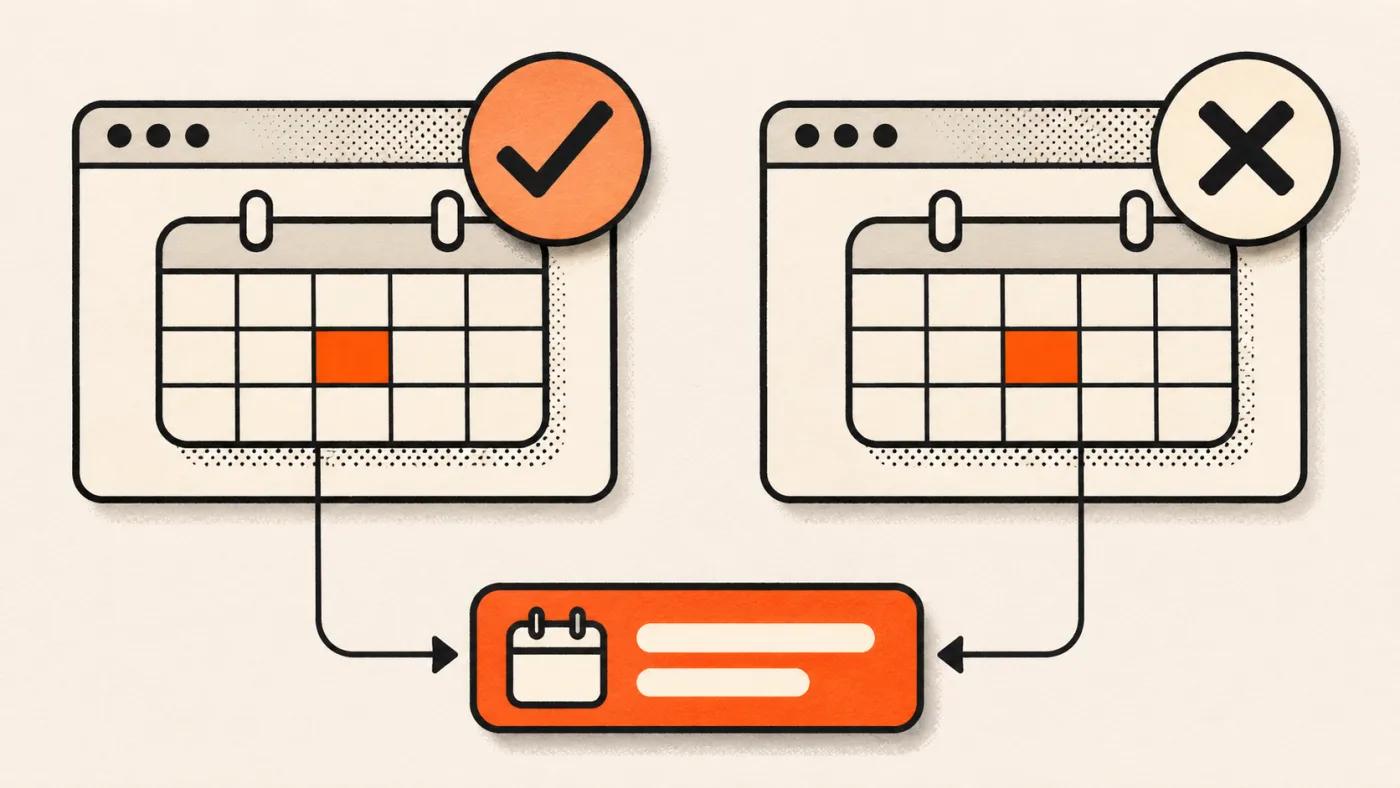
I’d start with the calendar. Say two people open Tuesday at 10 a.m. and the first one books it. When the second person presses Confirm, the booking system needs to know the slot’s taken.
The service description can be ready before a visitor arrives. The booking confirmation has to depend on what’s still available when they submit. I can make both decisions on the same site.
What changes between a static and a dynamic website?
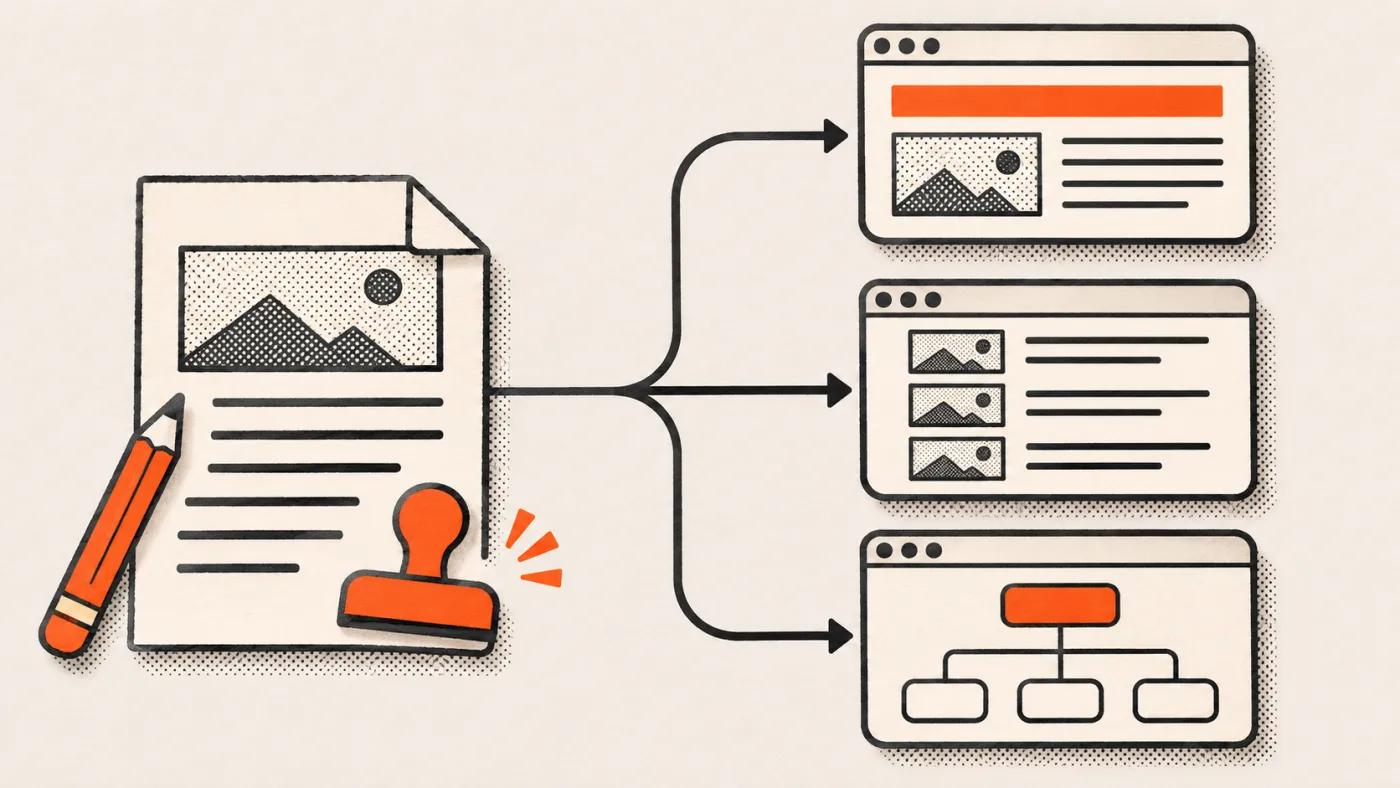
A static page serves HTML that was prepared ahead of the request. That might be an HTML file I wrote or a page generated from a template and content during a build.
A dynamic page can generate part or all of its response using information available when somebody visits. A signed-in customer’s dashboard might depend on their session and account records. A public search results page might depend on the words someone entered.
Even with prebuilt HTML, the browser can run JavaScript and fetch data after the page opens. A server can also generate a public response and cache a copy for later requests. If two visitors see the same article, that alone doesn’t tell me how it was rendered.
Before I pick an approach, I want to know who sees the page, how fresh the information needs to be, and what happens when someone acts on it.
| Page or task | What I’d start with | What could change the choice |
|---|---|---|
| Home and service pages | Prebuilt HTML with a publishing workflow | Public details that need to update more quickly than the build can deliver |
| Editorial blog | A CMS with prebuilt or cached public articles | Editorial needs such as immediate publication, frequent corrections or a large number of pages |
| Appointment booking | A shared service page and a booking service or API | Current availability and confirmation need the booking system |
| Customer dashboard | A signed-in view that reads authorized account data | Some common layout and assets can still be reused |
I’d separate the page from the job it does
Take the studio’s service page. I could prepare its photos, description and price ahead of time. When someone picks a date, the browser could fetch that day’s open slots from the booking service. On confirmation, the booking service would check again and record the reservation. That’s one page with three jobs that happen at different times.
When a developer says “dynamic,” I’ll ask which part they mean. Updating the calendar in the browser, looking up an account on the server, and giving the editor a CMS are three different jobs. I want to know which of them the proposal covers and who will look after each one.
I’d also ask where the failure shows up. If the calendar service is down, I still want someone to read about the appointment and find the studio’s phone number. If the entire page waits for the calendar before it can show anything, a booking outage also takes down the sales page. Seeing those two pieces on the same screen can make it easy to miss that dependency.
A brochure site can collect inquiries
For a studio that mainly wants to explain its services, I’d prepare the public pages ahead of time. I’d give the owner a way to change opening hours and publish an updated page. If they make that change themselves, the process needs to be clear enough that it still works when I’m away.
A contact form can sit on one of those pages. The HTML can be ready at build time while a separate service handles the submission. I’d check where the message goes, who can retrieve it, how the visitor gets confirmation and what happens when the service fails.
That last part is easy to skip when the demo stops at clicking Submit. Before launch, I’d send one test inquiry and check that the actual recipient received it. If the visitor sees a success message while the inquiry goes nowhere, the page still needs work. SavageAudit’s startup launch checklist
I’d make a similar call for a gallery or pricing toggle. Those interactions can run in the browser if the browser already has the information it needs. A server becomes relevant when the action depends on data or permissions the browser shouldn’t decide for itself.
A CMS and a prebuilt page can work together
Say the editor wants to publish twice a week. I’d give them a CMS if it helps them edit, preview and publish without touching the site’s code. There are several ways to get what they publish onto the public site.
A publish action can trigger a build that ships new files. For a small site, I’d be happy with that if the build is reliable and the editor can tell when it’s finished.
I could also cache public pages and refresh the affected pages when content changes or a timer comes due. That can suit a bigger site or a publishing process where a full build takes longer than the editor wants to wait. I’d check what happens when the refresh fails, especially if an old page shows a price or policy that has changed.
For either approach, I’d test a real edit on the article page and the list that links to it. If the article is reachable while the listing still looks like yesterday, I know where to look next. I’d include the sitemap in that check if the site generates one from the same content.
What I’d ask about changes that need to go live today
I’d start with a correction, because publishing a new article is only half the job. Say the studio changes its Saturday hours on Friday afternoon. Which pages show those hours? The footer and contact page might both need the edit. I’d ask the editor to make the change, open both URLs in a private window and check how long it takes for the new hours to show up.
I can usually wait through a build for a typo fix. If a visitor could pay the wrong price, I’d want to know how quickly we can update every public page that shows it. Say the owner and I agree on five minutes. I’d make the edit in a test environment, start a timer when I hit Publish and refresh the same public URLs a customer would use.
I’d want the editor to know what to do when the public page still looks old. First I’d confirm the update was published in the CMS. Then I’d check whether the public build finished or the relevant cached content refreshed. If I still see the old value, I’d compare the pages where it appears. One outdated footer across the site points me toward a different place to look than a single outdated article.
What SavageAudit’s blog shows
SavageAudit stores its articles in Sanity. The website’s Next.js code reads the published articles and applies a shared caching policy to blog queries. On November 25, 2026, a public check of the SEO vs SEM article returned HTTP 200. The page heading and opening paragraph were present in the HTML response. Next.js reported a cache hit for that request.
The response confirms that this request got readable article HTML and that Next.js served it from a cache. The repository shows how the blog queries Sanity and when its cache can refresh. I’d need that implementation evidence to say how the page is built. The checked SavageAudit article
When publishing a new post, I’d check the article and listing as two separate URLs. The November 24 publication check illustrates why. The new post and listing showed the article after their refresh. The sitemap fetched during the same check still had its earlier contents. Post, listing and sitemap need their own verification.
Availability and account data change the decision
If the studio has a calendar, the service page can explain the appointment and show the usual opening hours. To confirm a reservation, the booking system needs to check the slot when the request comes in. Two people can load the same availability view and try to reserve the same time. I’d test what happens when the second person tries to confirm.
An embedded booking service could handle that workflow. I’d ask whether the studio runs all its reservations through that calendar, including phone bookings. If staff book over the phone in a separate calendar, even a fresh response from the widget can show a time the studio has already promised to someone else.
For a dashboard, the account data is the reason I’d choose a different approach. The visitor may need their invoices or saved reports. The server or API has to check which records they’re allowed to receive, and any caching of private data has to respect that access. Shared parts such as branding and navigation styling can still use the same assets as the rest of the website.
On the dashboard, I’d let a monthly summary sit until the next reporting update if the owner agrees. A payment someone just made is different. If the provider is still processing it, the account should show that state. I’d write down those expectations before deciding what to cache.
The booking test I’d run with two browser windows
I’d use a test calendar and open the same slot in both windows. I’d confirm it in the first, then go straight to Confirm in the second without reloading. I want one reservation in the calendar. In the other window, I want to see that the time was taken and get a way to pick another. I’d check the confirmation email or record too, because that’s what the customer will trust when they plan their visit.
Then I’d try the awkward case where confirmation takes longer than expected. A visitor may hit the button again, or close the tab and come back. I’d test that a retry can’t turn one intended booking into two. If the booking succeeded but the browser missed the response, I’d want a way to recover the actual reservation before telling the visitor to start over.
Before I sign off, I’d do one complete booking on a phone. I’d check that the time zone is clear, the form fits on screen, and the confirmation tells me where to go. I’d also try cancelling once to see whether the slot becomes available again under the studio’s booking policy.
I’d make the same distinction for an online shop
If the studio also sells gift cards, I’d keep the product description and redemption terms on a public page. Once someone applies a discount, I’d have the checkout calculate the final amount using the current price and the rules for that code. That’s the amount I’d want the customer to see before paying.
Here’s the test I’d use. Open the product page, leave it open, then change the price in a test shop and try to check out from the old tab. I’d check whether the customer sees the updated total before confirming and whether the receipt agrees with it. A product page can look fine in every browser and still leave that handoff untested.
What I’d put in the budget
For a small site, I’d compare the work around a routine update before comparing hosting bills. Suppose the owner changes a service description twice a month. If those edits need a developer and a deployment every time, I’d ask whether a small CMS and a reliable build would save everybody time. If the owner rarely edits the site and already has someone to handle changes, a simple deployment process might be enough.
A booking service adds a different cost. I’d check who owns the calendar, what happens when staff hours change, and what it takes to get appointment records out if the studio switches vendors. Hosting the service page cheaply tells me very little about what it’ll cost to run booking day to day.
If someone proposes generating every page on demand, I’d ask which data needs to be that fresh. Then I’d ask what happens if the database or CMS stops responding. A recent copy of a public article might be fine during a short outage. A failed reservation needs a clear message and a way to try again. I’d agree who gets notified in each case and include that work in the budget.
How I’d compare speed, maintenance and SEO
For speed, I’d test a service page people are likely to open. I’d keep the device, network conditions and page content comparable when testing different delivery setups. Does the main content arrive soon enough? Can I use the menu or submit the form without waiting on a large script? A prebuilt page can still send heavy images or JavaScript. A cached server-rendered page can respond quickly. The actual page is what I’d measure. How to compare website performance
For maintenance, I’d simulate a failed publish in a test environment. I want to know what visitors see, where the editor finds the failure, and whether they can retry without asking a developer. If a bad change does reach the live site, I’d ask the owner to practise getting the last good version back.
For SEO, a public page can make its main content available in the initial HTML whether it was prebuilt or generated on request. That gives crawlers text and links to read from the first response. Google can render JavaScript, and its documentation recommends server-side or pre-rendering where it helps users and crawlers. I’d check the actual public URL for the content, status and links the site intends people to find. If key content only appears after the browser fetches it, I’d check how that page renders for search. SavageAudit’s JavaScript SEO checklist
For the same reason, I’d keep public explanations of a product or service available outside account screens. A reader or search system can get the price, scope or supported features from the public page when the business intends those details to be public. A customer’s private history belongs in their account.
What I’d check if I changed how an existing site is served
Say I’ve switched the studio’s service pages from request-time rendering to a build. I’d open a few of the old URLs directly before I click around the home page. An old link from Google or an email lands on the service URL itself. I’d check that the same service details are there, the page still points to the intended canonical URL, and the booking button still works.
I’d also try a public URL for a service we removed. If there’s a suitable replacement and we’ve set up a redirect, I’d follow it and read the page I actually land on. For a URL we’ve removed without a replacement, I’d check that the response reports the missing page. On a JavaScript site, I’d check both the response status and what the browser displays. I’ve got two different things to verify when the browser can change what’s on screen after the response arrives.
The last thing I’d do is publish a small correction through the new setup. The migration is only going to feel done to the owner when they can make the next edit themselves and see it on the public site.
The short brief I’d send a developer
For the studio example, I’d write it like this.
- Service pages should be public. The owner can correct a service price and check the published change.
- The blog needs an editor who can publish a post and verify the article, listing and sitemap. Agree on how long a change can take to appear.
- The booking service checks availability as the customer confirms. Test a slot that becomes unavailable during the flow.
- The account area lets a signed-in customer open their own records. Test with separate accounts and confirm each sees only the records it can access.
If the first release only needs the public pages, blog and booking, I’d build those first. I’d leave the account off the brief until there’s a reason for customers to sign in. Before launch, I’d hand the site to the owner and ask them to publish a change and make a test booking. That tells us whether the setup fits the work they’ll do after I leave.
Common questions
Can a static website have a CMS?
Yes. A build can read content from a CMS and produce an updated set of pages after an editor publishes. A site can also use a server with a cache and refresh public pages as needed. The CMS is where people manage content. The delivery setup determines when HTML is prepared and refreshed.
Can a static website have a contact form?
Yes. A prebuilt page can show a form and send submissions to a form service or an API. That service handles validation and storage or delivery. Test the confirmation and make sure an actual recipient can retrieve the submission.
Is a dynamic website harder to maintain?
It depends on the features and the publishing setup. A request-driven site may need a server, database and cache policy. A prebuilt site may need build automation and a dependable way to ship corrections. Compare the work required for routine changes on your own site.
Which is better for SEO, static or dynamic?
Both can serve useful, indexable public pages. I’d check whether the intended URL returns the right status, content and links. Prebuilt and server-rendered HTML can both make the main content available to crawlers in the first response.
Can one website use both?
Yes. A site can prebuild service pages, serve cached CMS articles, and load current booking or account data where needed. Choose how each route or part of the page gets its content based on what visitors need to see and do.
How can I tell if an existing page is static or dynamic?
I’d start by looking at the first HTML response and watching the network requests as I use the page. That shows what arrived upfront and what the browser fetched later. To tell whether the server built that first response ahead of time or on demand, I’d check the build and hosting setup too. Both approaches can send the same HTML.
Run your own public presence audit
See how your website, search footprint, AI visibility, social proof, and conversion trust look from the outside.